Update layout Hardware V00I

Finally time to update the layout.  The charging circuit works well and I changed the level shifter on the schematic last week. So this week, I updated the layout.

I started by generating a new netlist. Next, I ran CvPCB to verify all the parts had footprints associated with them. They all do. Next I ran PCBnew and imported the netlist; making sure the exchange footprint settins was set to change.  I got an error:

Error: Component 'U3' pad '~' not found in footprint 'Housings_SSOP:TSSOP-20_4.4x6.5mm_Pitch0.65mm'

I had to figure out what that means before moving on.  It suggest one of the pins was named wrong either in the schematic symbol or the footprint library. I checked the schematic symbol first. I noticed the GND pin didn’t have a pin number assigned to it. Easy fix, added it and updated the library. I set the GND pin number to 11, saved it to the library, made sure it was in the schematic correctly, and re-generated the netlist.  I had to delete it and re-place it into the schematic to correct the schematic.  This meant that CvPCB no longer knew the footprint to use, so I updated it and re-generated the netlist again. No more errors in PCBnew import of the netlist.

I started by ripping up the unconnected traces. Then I started placing footprints.  I hid the bottom layer to make it easier to see what I was working around on the top layer.  Once I had the parts placed, I started routing traces.  I had to adjust component placement a few times to get everything to fit.  As I got to a point that I couldn’t do all the traces on the top side of the board, I un-hid the bottom layer.  While I was working with both sides, I had to re-fill the zones several times to correct for the areas I added new traces on the bottom side.

I finally got to 0 unconnected nets. I did a quick look to make sure all the references were readable and not under other parts.

layoutv00i

I plotted out the Gerber files and did a quick check to see if it looked OK and got ready to order.  When I look at Gerbers, I am looking for broken traces and unintentionally connected traces.  I used Gerbview to do this check. As I went into Gerbview and tried to load the files, the were double of all the files.  It looks like the developers of KiCad decided to change the naming conventions  for output to gerber.  I went in and deleted all the files in that folder and re-ran the plots.  While looking at the gerber files, C10 and U3 references were covered up.  I went in and fixed them and re-plotted.  While I was at it, I discovered U10 wasn’t anywhere near it’s footprint.

I created a zip file with the plot files ready to upload to a fabrication house. I have uploaded the files to the github repository, click the hardware link in the right column to go get it.

Are you using Kicad?  What tools are you using to design in?  Do you have trouble finding datasheets for Chinese parts?

Re-Layout Update V00B

Now that the design review is complete, I am updating the PCB layout.

I started by going into CvPCB to check and fix any components. I feel that the pad sizes are too large with the Handsoldering footprints.  I changed all 1206 Handsoldering footprints to 1206 standard  footprints. The 1×12 connector hasn’t been assigned yet, I chose a 0.100″ pin header footprint which I will leave empty. The Socket Strip 1×12 fit my needs.

While doing some research, I found a chip to replace the level shifter chips I was using.  The FXMA108 chip by Fairchild Semi does all 8 bits with automatic direction changing.  It’s capable of up to 80 Mb/s.  It allows me to simplify my design and remove the shift register.  Each buffer automatically shifts direction based on how its pins are being driven.  I removed the four level shifter chips and replaced them with this one chip. I had to create the chip in my library.

While moving parts around the layout, PCBnew shut down unexpectedly and I lost about 2 hours worth of work. There are so many changes to this layout that I decided to remove all of the traces and start new.  Under the edit menu is Global Deletions, I selected tracks and hit OK.

I moved the microUSB connector to hang off of the edge of the PCB and changed the slotted holes to round with the longest dimension used for the diameter of the circle. I moved the component values outside of the board boundary which helped remove some clutter from the board.

I started laying out the traces around the level shifter first because that section is straight forward.  Ikepth the schematic open so i could make quick changes on the schematic to simplify the layout. With each change I madeon the schematic, I would generate a new netlist and then read it into PCBnew. I made many component placement adjustments while routing the traces. I finished by doing a fill of the ground plane on the bottum side of the board.  This made a couple of unconnected nets stand out so I fixed them.Re-Layout V00B


Check Plots

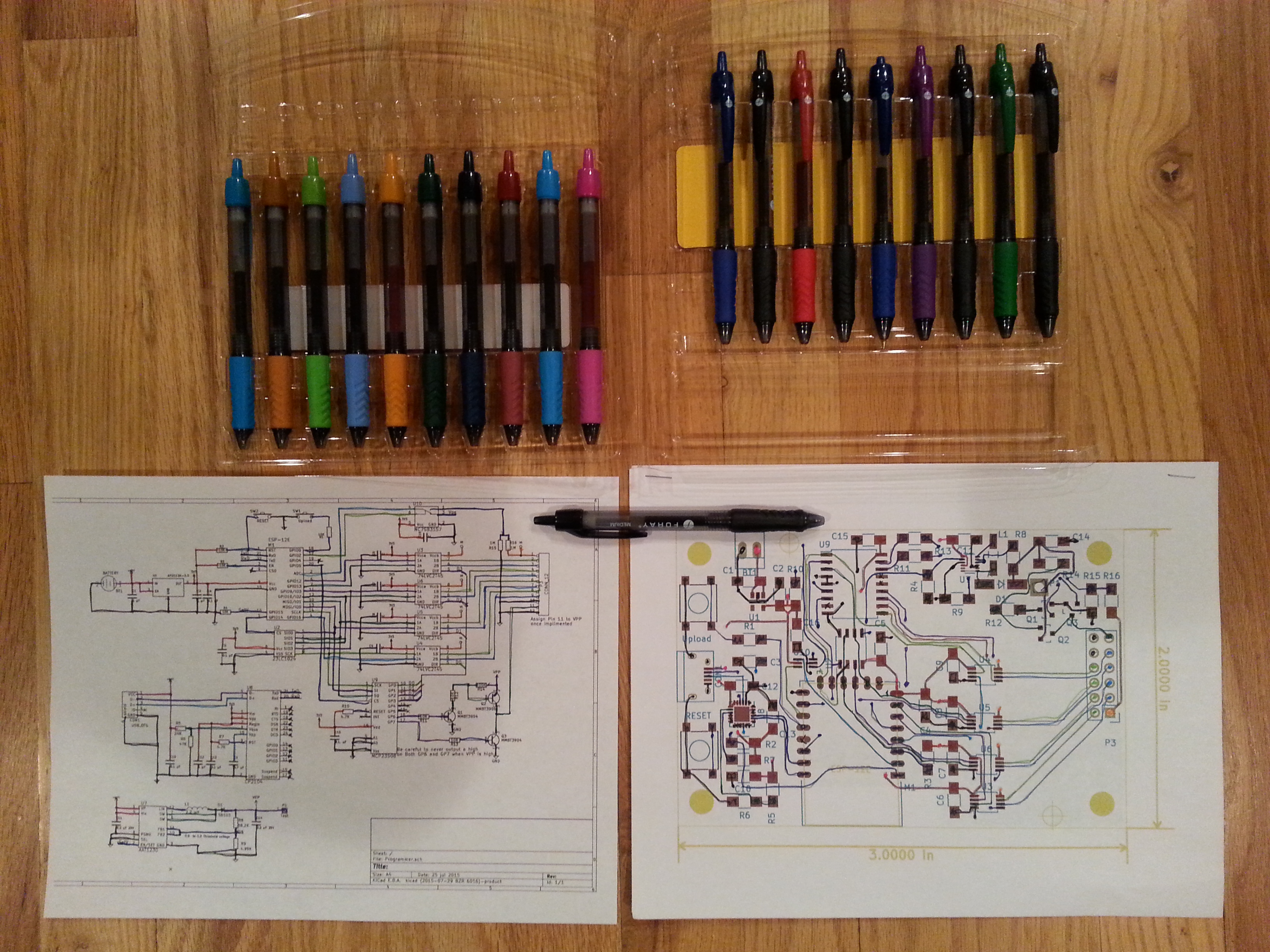
Check plots are printouts of the design so that they can be verified.

I printed out the schematic and both layers of the PCB layout as large as would fit on one letter sized page. Then I aligned and stapled the PCB layer plots together. I used colored pens to trace each circuit on the schematic and on the PCB layout.

In the first few minutes I found some problems. A bunch of references were not placed well, I found a section of the 3.3v net that did not get connected, and I had made a change that affected the ground plane fill that required me to redo the fill. I found these in the first half hour of verifying the check plots.  I continued to make adjustments as I checked the layout.

I printed a 1:1 scale to verify the ESP-12E would fit the pads correctly and it did fit. I generated the fabrication files by clicking on plot and clicked the plot button on that dialog, then I clicked on Generate drill file and made a drill file as well.  All these generated files were placed in a folder named “Fabrication” under the project directory.

Check Plots with Pens

1:1 Check Plot