This week was focused on software.
I did a little research on my problem with the serial upload tool failing. I found that I could update to a newer kernal that had been backported into the Ubuntu repository. This kernel had the serial issues fixed. So my vertual machine Lubuntu kernel is now version 3.19.0-30-generic. Also, I wanted to try Windows 10 before installing the update on my wife’s computer. I downloaded a copy from Microsoft and installed without a license key. This is how you do a trial install. You can go back and install a license key later. With the new kernel and the new version of VirtualBox, programming the Esp-12E became very easy.
I have been using esptool.py on my circuit with no problems. With the NodeMCU board that has the CH340G USB to serial chip still doesn’t work without modifying esptool.py. This is making me rethink changing to the CH340G chip because I just want it to work for someone that is developing new code.
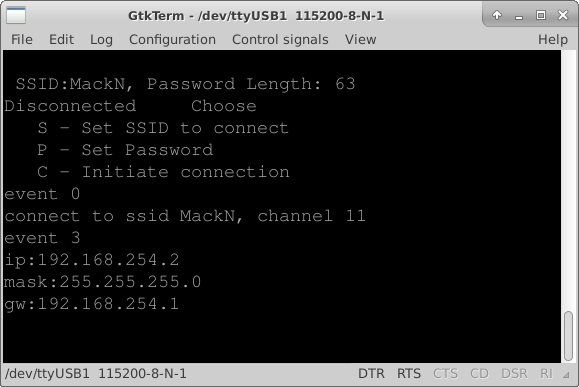
I added a menu structure to the file simple_serial.c. I copied some code out of uart.c that echos back what was sent. I got that working pretty quickly. Then I started reacting to the characters being received. I simplified the receive routine and passed the received character to the user interface function that I named simple_config_ui. The user interface is implemented as a simple state machine that changes state based on the received character. I will use this menu structure to start testing the hardware such as writing and reading from the ram, toggling individual outputs, reading inputs, and setting the high voltage output level.
Remember the software as it currently stands is on GitHub.com. Just click the firmware on GitHub link at the top or the right side bar on this page. The software is functional and allows the user to connect to a WiFi access point by setting the SSID and Password through a serial port terminal.